BACKGROUND
In a large oil and gas enterprise, sensitive documents were being sent daily as email attachments - contracts, financial data, internal reports, classified information. Once an email left the sender's inbox, there was no way to know what happened to those files. Attachments could be downloaded, forwarded, or edited by anyone who received them, with no visibility and no mechanism to respond. The company needed a way to maintain control over sensitive documents after they were sent - and in the event of a data breach, to identify exactly who had accessed what, when, and from where.
Client
ENTERPRISE CLIENT, UAE
scope
END-TO-END, RESEARCH, USER FLOWS, WIREFRAMES
Year
04.2024 - 12.2024
Role
UX/UI DESIGN
DISCOVERY
The design and development team worked together to explore what was technically possible. The initial question was whether files themselves could be secured - tracking downloads through tokens, encrypting files in transit, or limiting access at the file level. After evaluating the available options, most approaches were either technically unfeasible within the existing infrastructure or insufficient to provide the level of control the company needed.
The conclusion: rather than trying to secure the files themselves, the most robust and realistic solution was a dedicated access management and tracking panel - giving senders full visibility and control over who can access each attachment, at what level, and for how long. If a document ever leaked, the system would provide a clear audit trail to identify exactly who had access and what they did with it.
PROBLEM STATEMENT
In a large enterprise handling sensitive business documents daily, there was no way to control what happened to email attachments after they were sent. Documents classified as Internal, Restricted, or Need-To-Know could be forwarded, downloaded, or edited by anyone who received them - with no way to track, limit, or revoke access. For a company operating in the oil and gas sector, this represented a serious data security risk. Sensitive contracts, financial data, and internal reports could end up in the wrong hands with no visibility and no way to respond.
“An email is sent. Attachments go out. And then - no visibility. Who opened it? Who forwarded it? Who still has access?"
SOLUTION DIRECTION
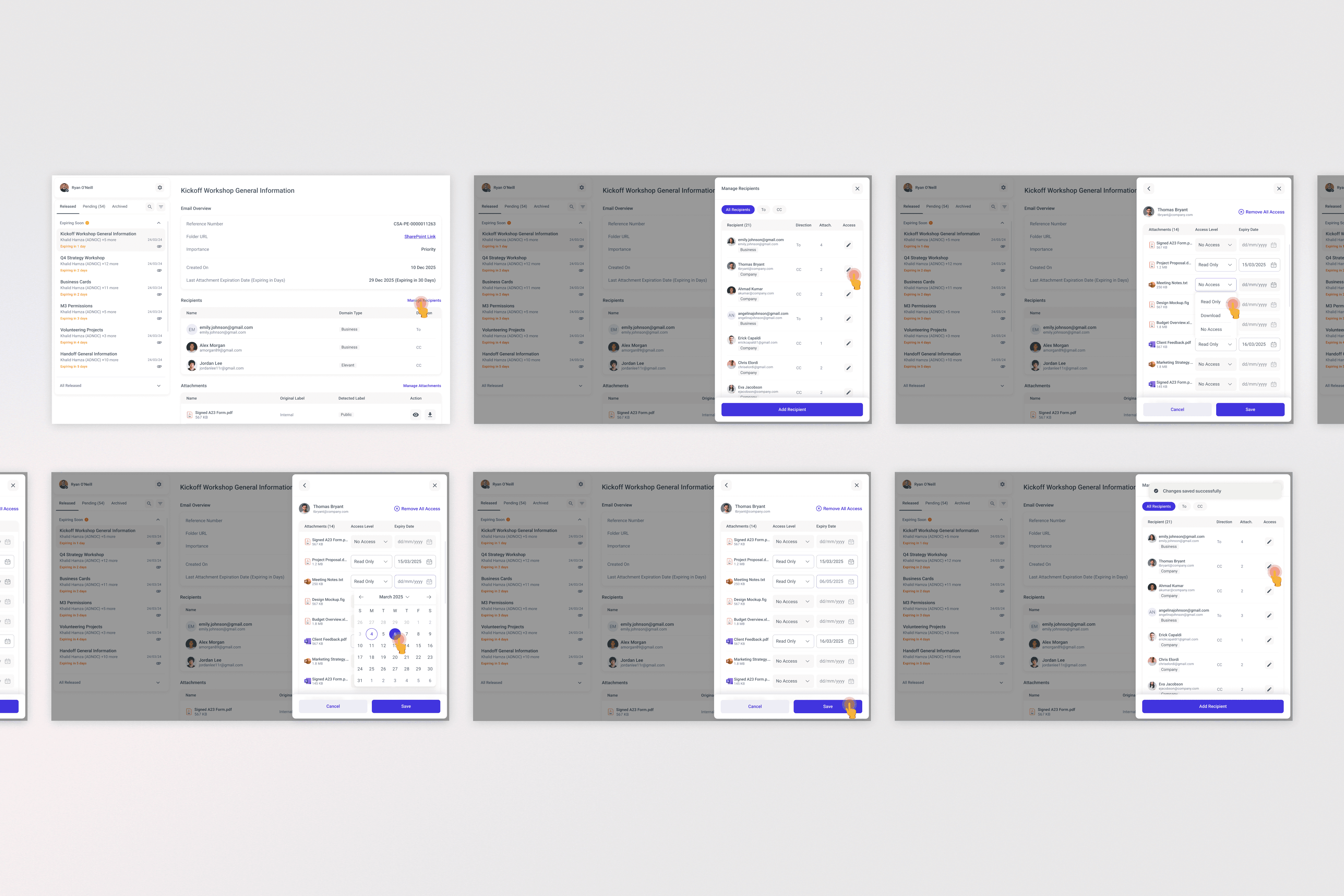
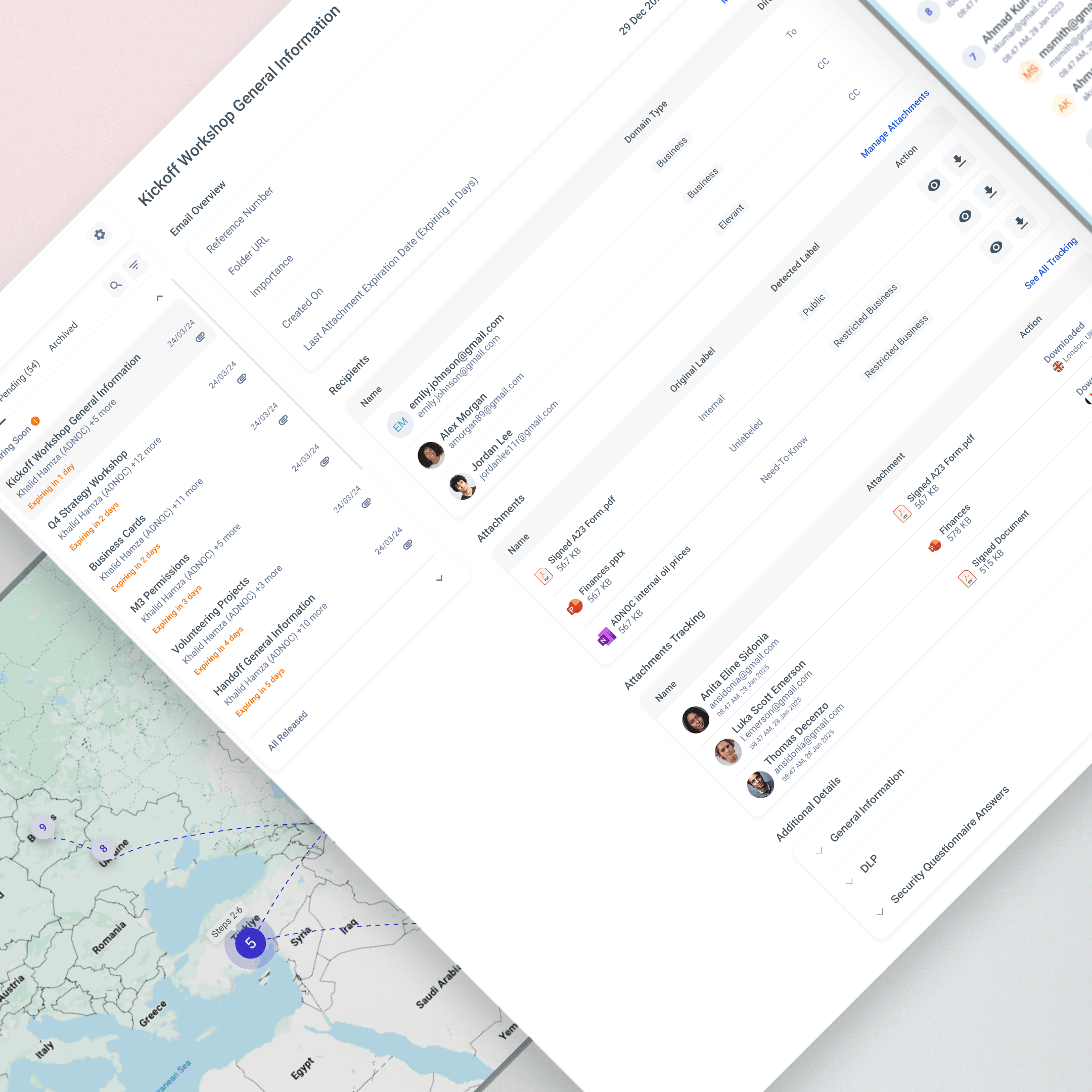
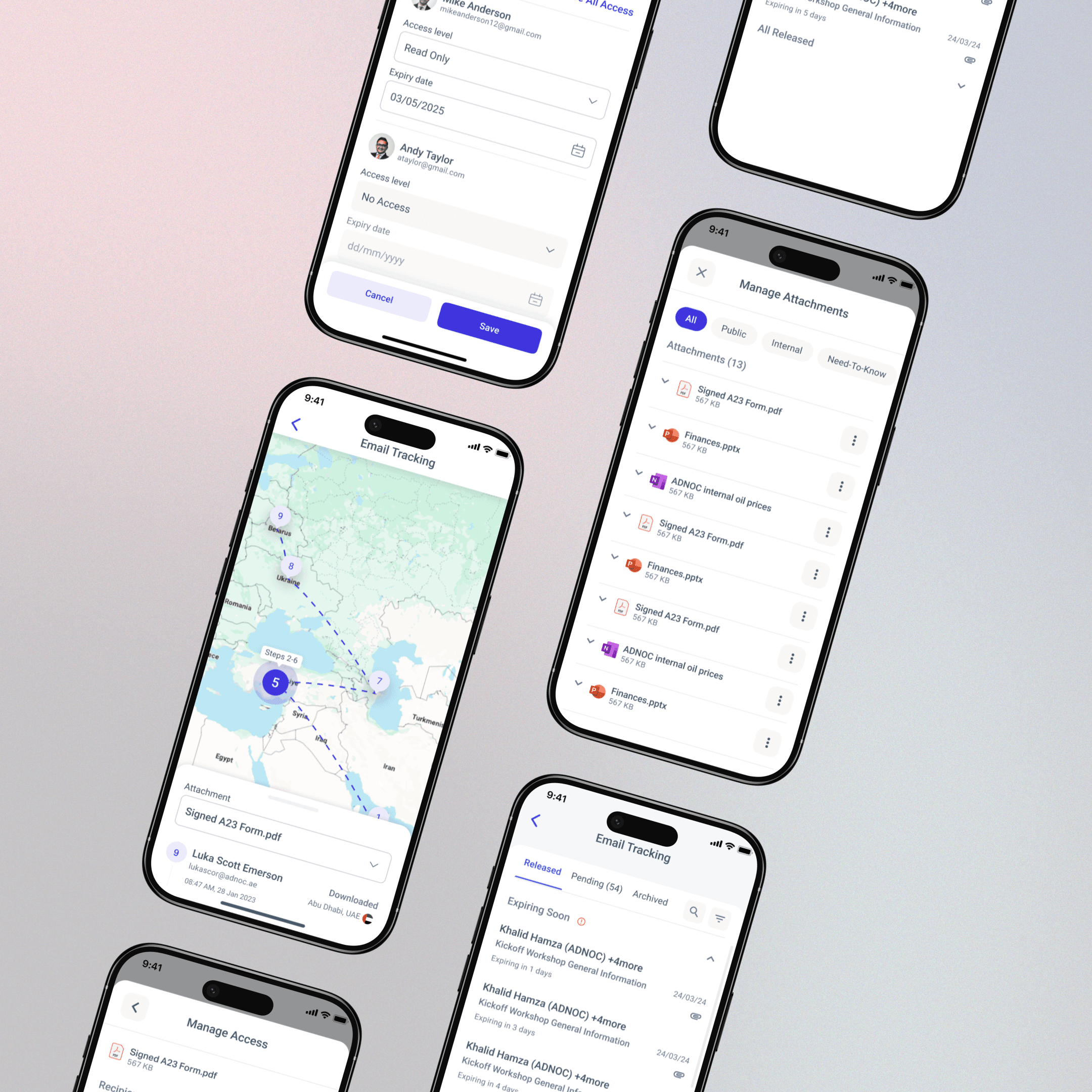
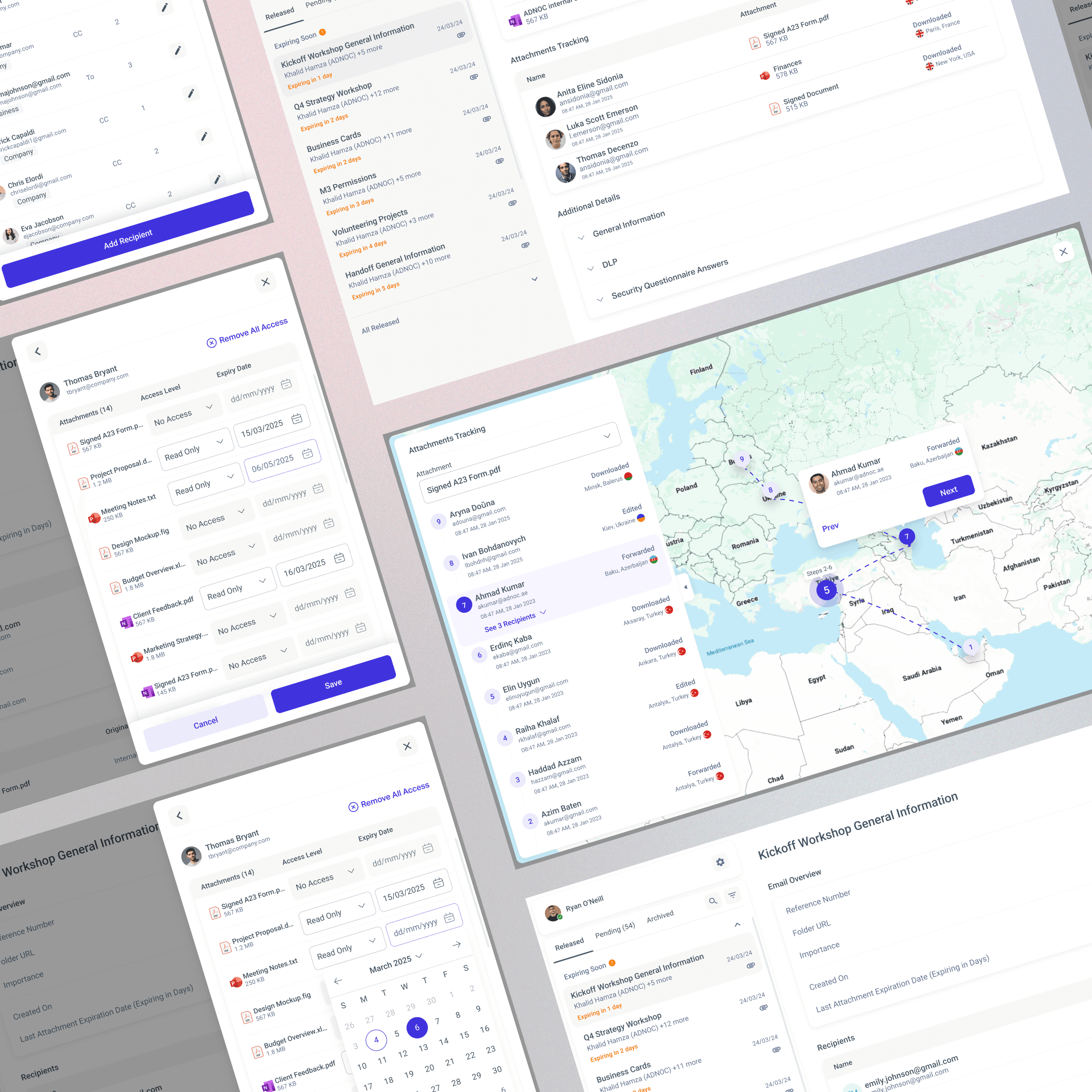
ACCESS MANAGEMENT PANEL built around two complementary views - a deliberate design decision that emerged during the process. The original requirement covered only one direction: managing access per recipient. During design it became clear users also needed the reverse - entering a specific attachment and seeing all recipients who have access to it, with the ability to manage permissions from that angle too.
GRANULAR ACCESS CONTROL per attachment, per recipient - with three levels (Read Only, Download, Edit) and an optional expiry date for each. Senders can revoke all access for a recipient in a single action at any time.
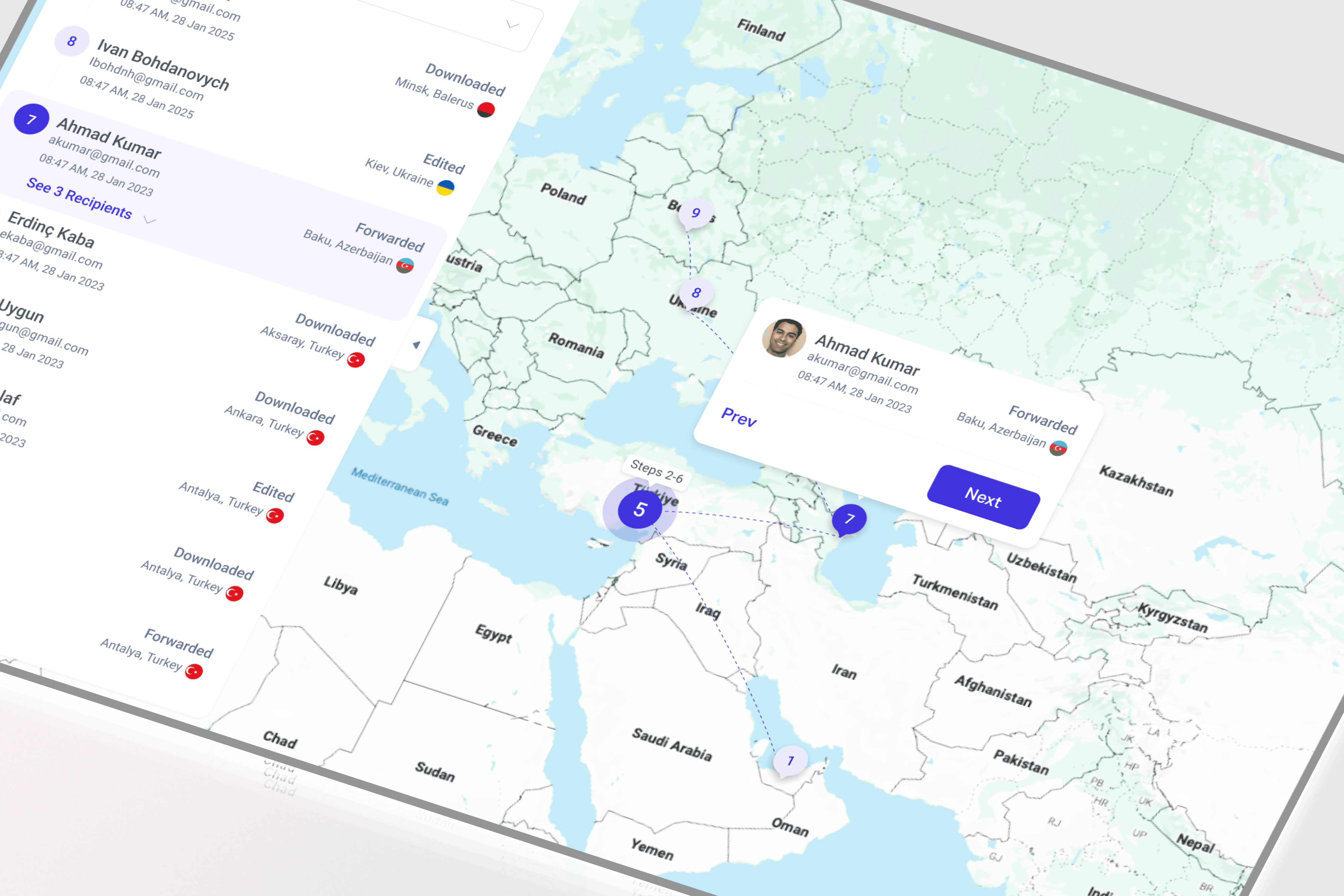
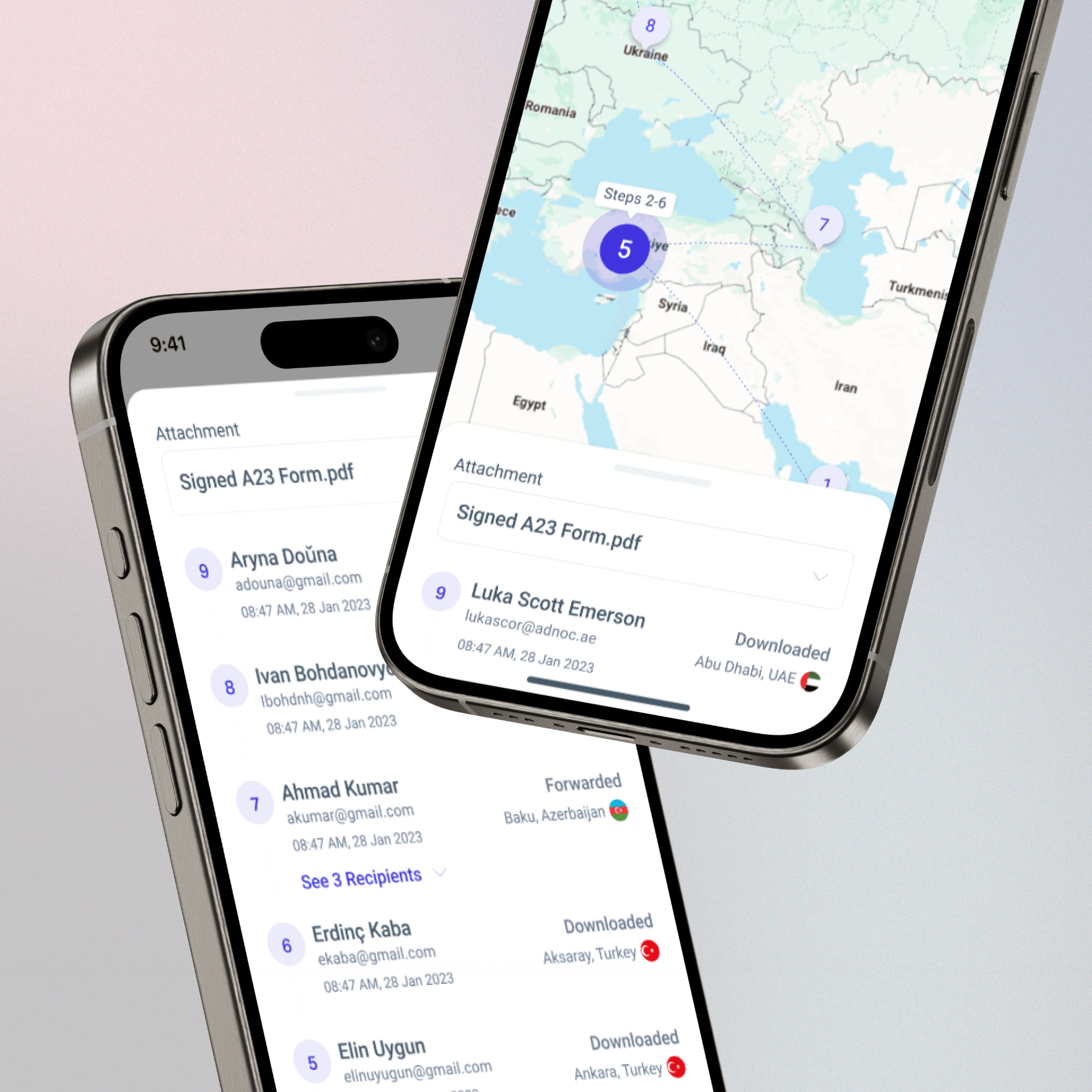
ATTACHMENT TRACKING MAP - proposed by the design team as the most intuitive way to visualize document flow. A full-screen map shows the geographic journey of each attachment: who opened it, downloaded it, forwarded it, from which location, and at what time. A numbered timeline on the left panel syncs with pins on the map, showing the exact sequence of events. In the event of a data breach, investigators can immediately see the full chain of custody.
KEY UX DECISIONS
TWO-WAY ACCESS MANAGEMENT - The original requirement covered only one direction: managing attachment access per recipient. During the design process it became clear that users also needed the reverse view - seeing all recipients who have access to a specific attachment and managing them from there. The result: two complementary views that update the same underlying data.
GRANULAR ACCESS CONTROL - Every attachment can be configured per recipient with three access levels - Read Only, Download, Edit - each with an optional expiry date. Users can also remove all access for a recipient in one action. This level of control required a clear, scannable UI that didn't feel overwhelming despite the number of combinations.
ATTACHMENT TRACKING ON A MAP - A full-screen map view shows the journey of each attachment - who downloaded, forwarded, or edited it, from which location, and at what time. A numbered timeline on the left panel syncs with pins on the map, showing the exact sequence of events. Proposed by the design team as the clearest way to make complex tracking data immediately readable.
OUTCOME
SecureSend gave the organization full control over document access for the first time:
100% of sensitive email attachments are now tracked from the moment they are sent
Access revocation in real time - security teams and senders can remove access to any document at any point, regardless of when the email was sent
Geographic tracking revealed that attachments were being accessed from unexpected locations - enabling the security team to identify and respond to potential data breaches proactively
Estimated 80% reduction in uncontrolled document sharing - access levels and expiry dates replaced open-ended email forwards
Compliance improved significantly - every access event is logged with timestamp, location, and action type, creating a full audit trail for internal reviews and regulatory requirements
Zero dependency on recipient cooperation - access can be revoked without needing the recipient to delete anything