BACKGROUND
Before this application existed, all official documents at the organization were signed manually — printed, physically signed, and passed between people. For a company handling dozens of documents daily, this meant slow turnaround times, logistical overhead, and a process that was difficult to scale. The organization had already begun a broader digitization initiative around document management — this application was designed to sit within that ecosystem and bring the signing process fully into the digital workflow.
Client
ENTERPRISE CLIENT, UAE
scope
END-TO-END, RESEARCH, USER FLOWS, WIREFRAMES
Year
11.2024 - 07.2027
Role
UX/UI DESIGN
DISCOVERY
Requirements were gathered primarily through BA-led sessions with the client, with me actively participating throughout to stay close to the needs and constraints. The project built on the organization's existing digitization efforts - which meant the technical foundation for digital signatures was already in place, and we could design the experience around it rather than solving for the infrastructure.
The core design challenge wasn't what the system needed to do - the BRD covered that clearly. The challenge was how to design a multi-step workflow that felt structured and guided for each role, without becoming bureaucratic or confusing. Every person in the process needed to know exactly what was expected of them before they could proceed.
PROBLEM STATEMENT
Official documents were signed manually - printed, physically routed between people, and returned. For tens of documents per day, this created significant delays, no visibility into where a document was in the process, and no structured record of who approved what and when.
"Signatures were sent over email. Nobody knew where the document was in the process -Solution Direction or if it would come back at all."
SOLUTION DIRECTION
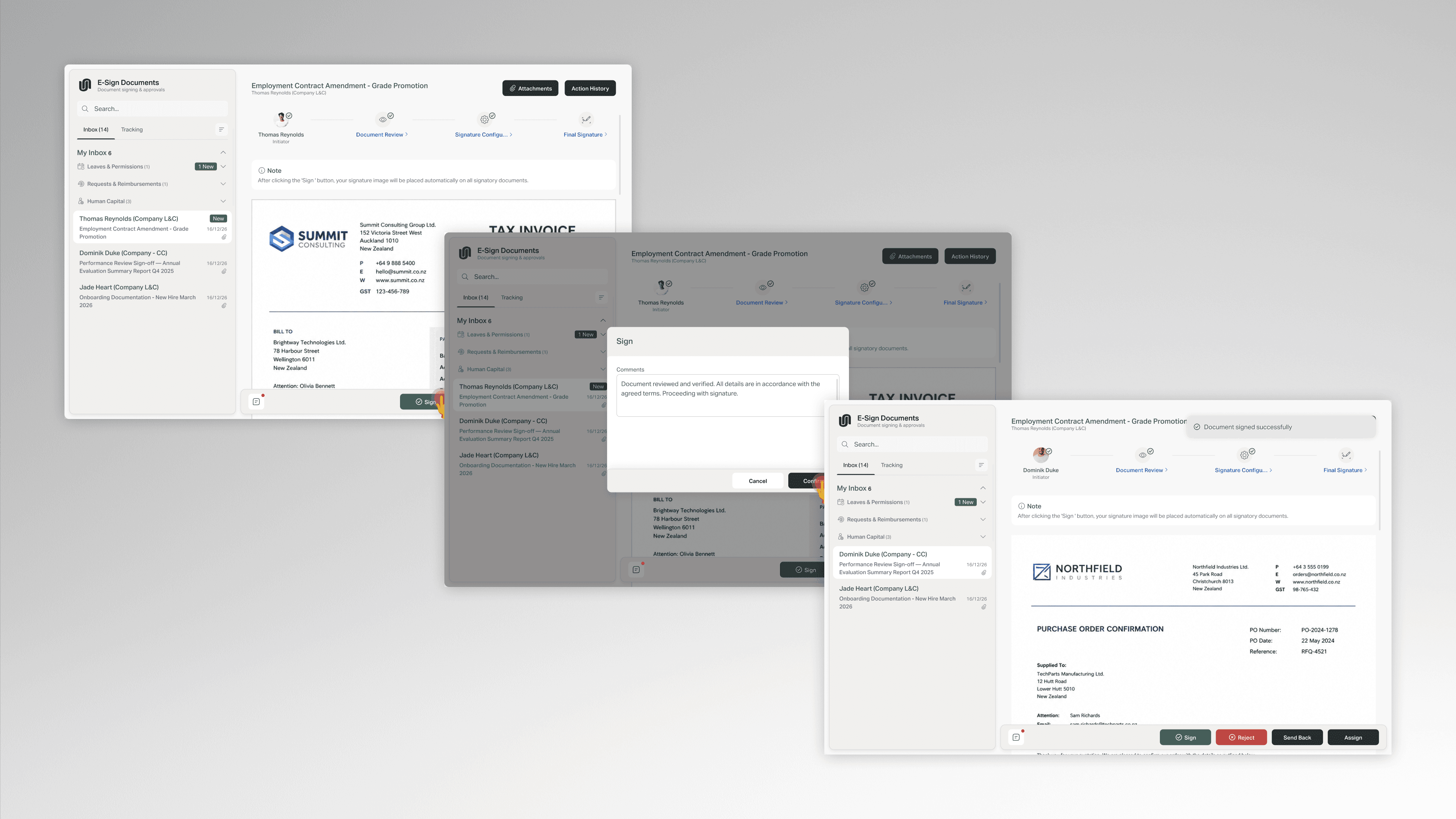
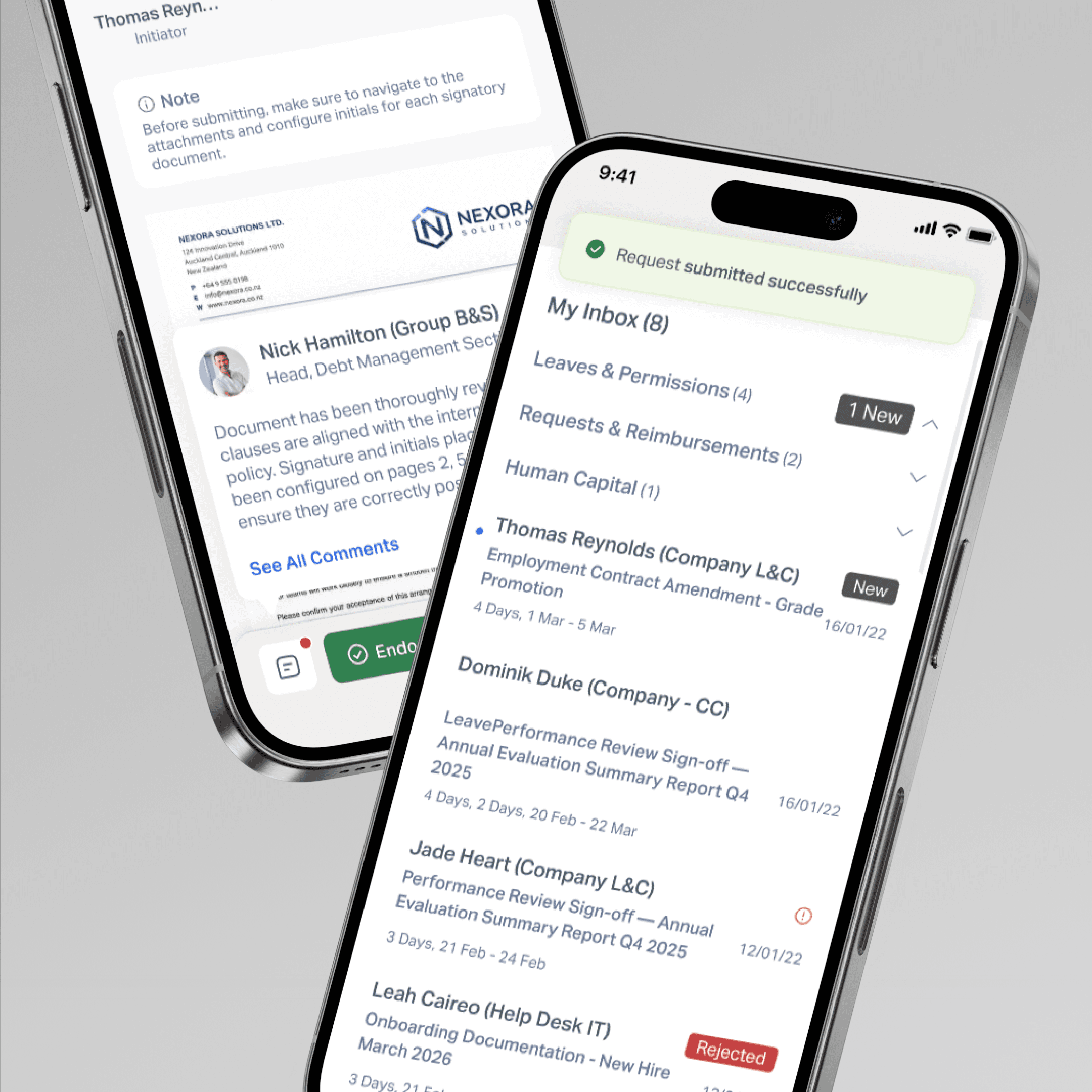
A fixed four-step workflow designed around the organization's existing approval structure - each step with a defined role, a specific action, and contextual instructions embedded directly in the UI so users always know what's expected of them before they can proceed.
Initiator → Receiver → Placeholder Configuration → Final Signing
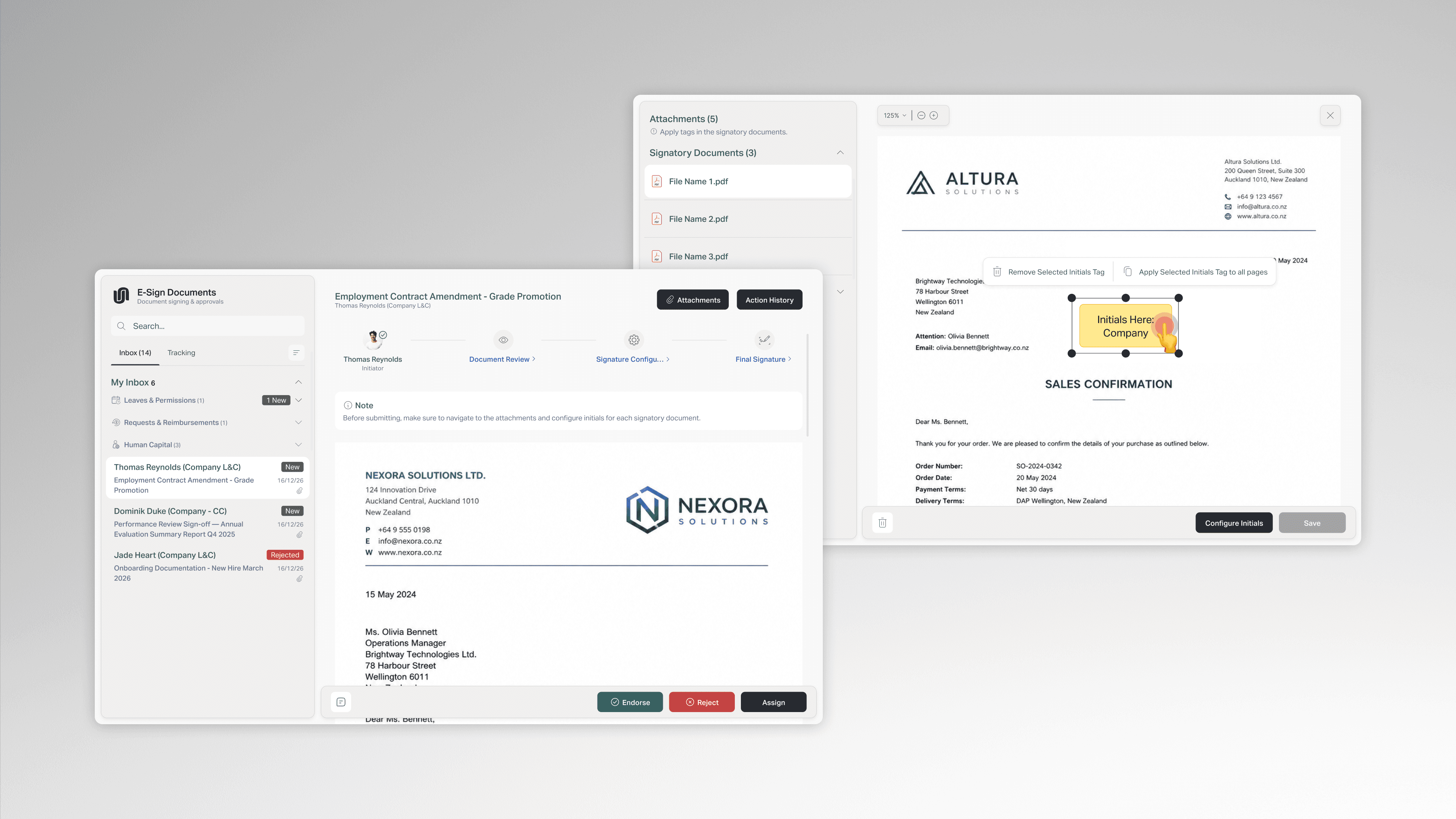
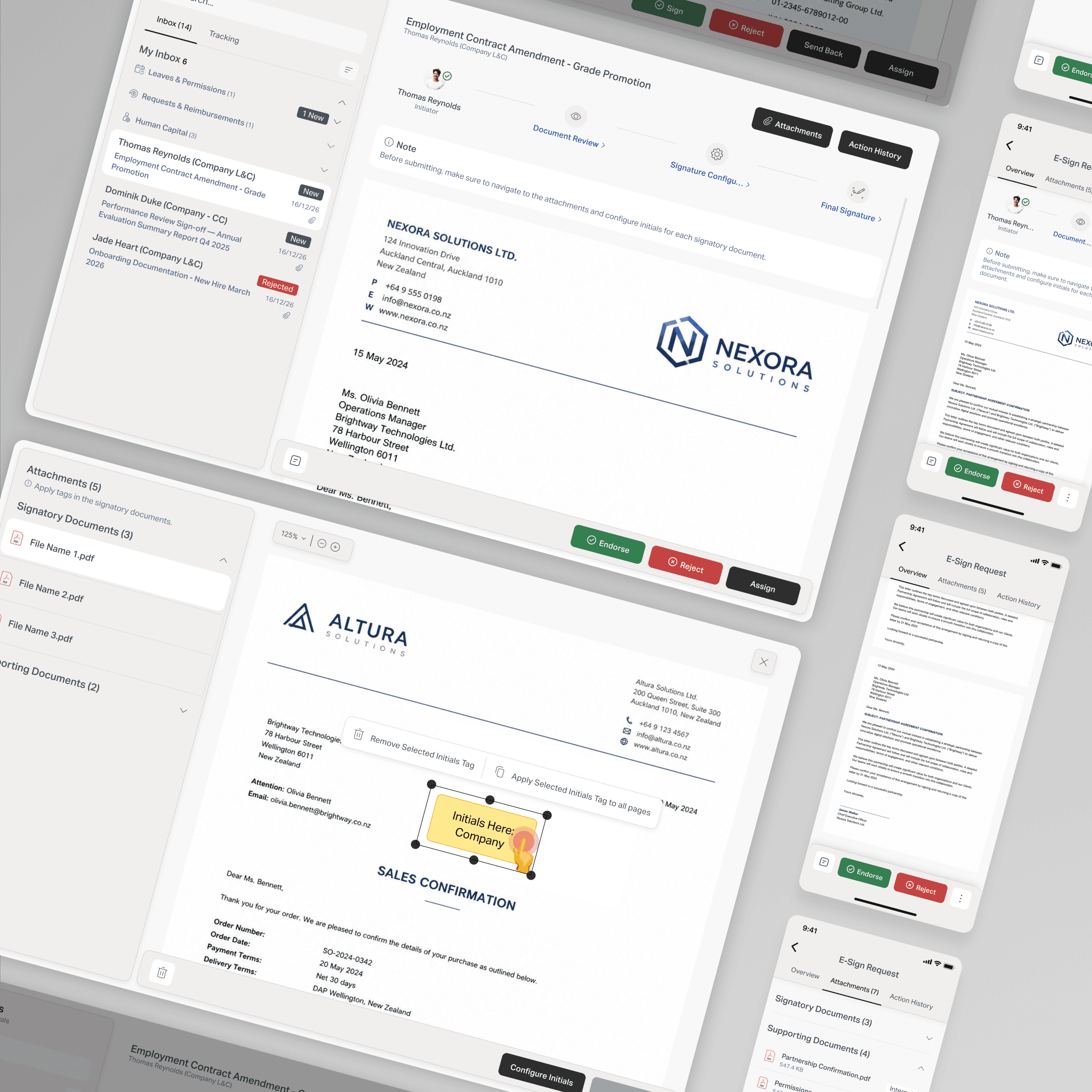
Signature placeholder placement - the core interaction The most complex design challenge in the product. Before any signing can happen, someone needs to define exactly where signatures, initials, and dates will appear on each document. The solution: a toolbar-based system where clicking a button generates a draggable placeholder tag directly on the document preview. The user positions it freely, resizes it, and saves the location. An "Apply to all pages" option removes the need to repeat this across multi-page documents.
The interaction had to feel precise and familiar - close enough to tools like Adobe Acrobat that users wouldn't need training, but built entirely within the application.
Automatic signature placement Once placeholders are configured, the final signatories don't need to interact with the document at all. One click on Sign places their initials and signature image automatically into every configured placeholder across all signatory documents simultaneously - removing friction at the most critical step in the process.
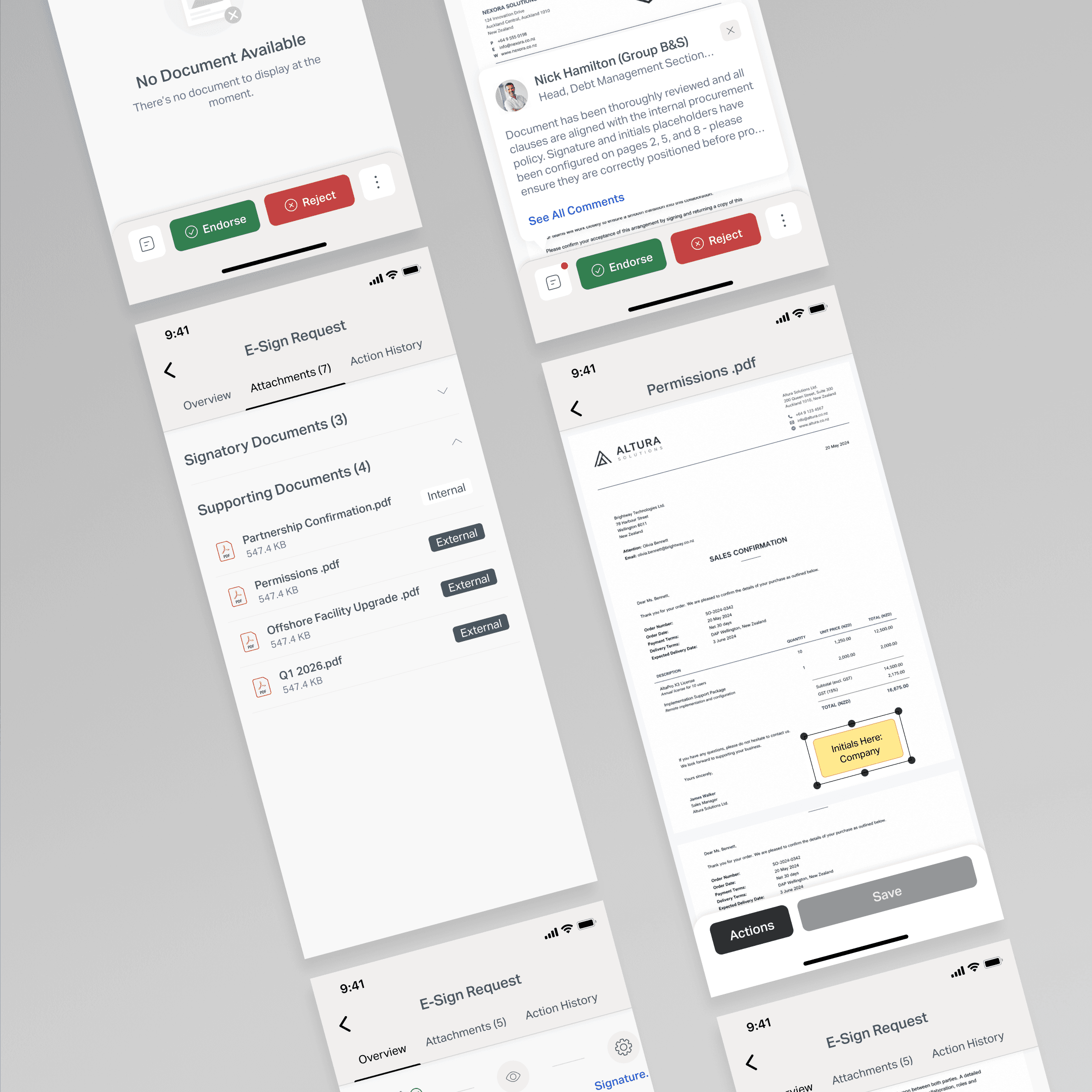
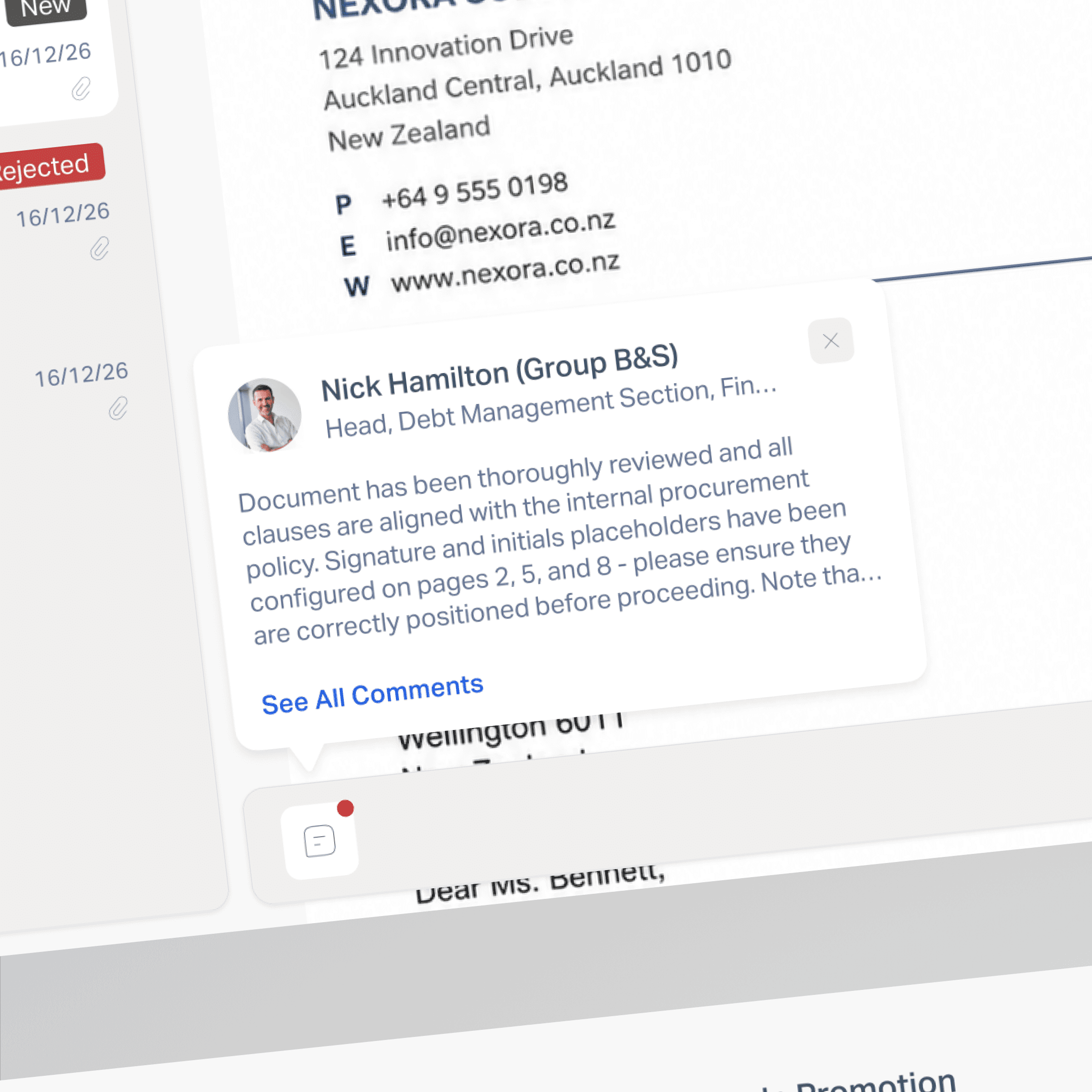
Send Back - correcting without restarting Rather than a binary approve/reject, reviewers can send a document back to the previous step if something needs to be corrected. This distinction mattered - reject terminates the process, send back corrects it. Getting that right changed how users felt about the workflow.
Contextual instructions per step Each role sees a specific action note at the top of their view - telling them exactly what they need to do before they can proceed. This reduced the need for external training documentation and kept the process moving without confusion.
KEY CHALLENGES
1. Designing a workflow that guides without overwhelming Four different roles, each with a completely different task. The design had to make each step feel self-contained and clear - with just enough context to act confidently, without exposing the complexity of the full system.
2. Signature placeholder interaction Designing a drag-and-drop placement system for signatures, initials, and dates directly on a document preview - with the ability to resize, remove, and apply to all pages - required balancing precision with simplicity. Too many controls would slow down an already multi-step process.
3. Send Back vs Reject A small but meaningful UX distinction. One corrects, one terminates. Designing the right visual language and placement for both actions - so users understood the consequence before clicking - was a recurring conversation throughout the project.
OUTCOME
Tens of documents processed daily through the application since launch- fully replacing the manual paper-based process
Signing time reduced significantly - what previously required physical routing between people now completes digitally in a fraction of the time
Full process visibility - every document has a clear status at every step, replacing a process where documents could disappear between people with no way to track them
Zero training documentation needed - contextual instructions embedded in each step meant users could complete their role without external guidance
Send Back reduced rework cycles - reviewers can correct without restarting, cutting unnecessary back-and-forth in the approval chain